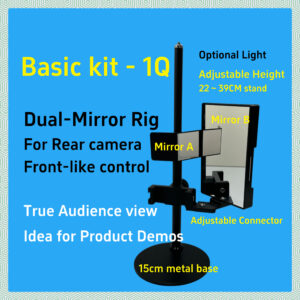
Front Mirror Duo
A dual-mode front-camera mirror accessory for top-down shooting or split-screen demonstrations.
Key Features
- Two Shooting Modes — Switch between top-down mode to film your desk or artwork, and split-screen mode to show your workspace together with your face.
- Instant Magnetic Attachment — The mirror modules snap onto the mount instantly and can be removed just as easily when you want to return to normal front-camera shooting.
- Quick Mode Switching — Change between top-down and split-screen modes in seconds simply by attaching the appropriate mirror piece.
- Adjustable View Ratio — Slide the mirror up or down to adjust how much of the frame shows your desk versus your face.
- Accurate Workspace Coverage — The visible desk area depends on your phone stand height. Typical usable coverage ranges from about A5 (lower height) to A4 (higher height). Even at ~40 cm height, the captured area is only slightly larger than A4 and does not reach A3.
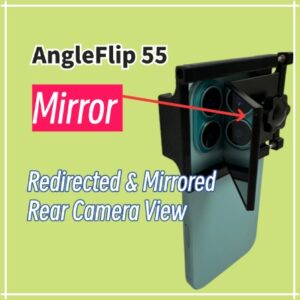
- Fits Most Smartphones — Includes multiple rear-side support pieces to accommodate different phone shapes and camera bump layouts.
How It Works
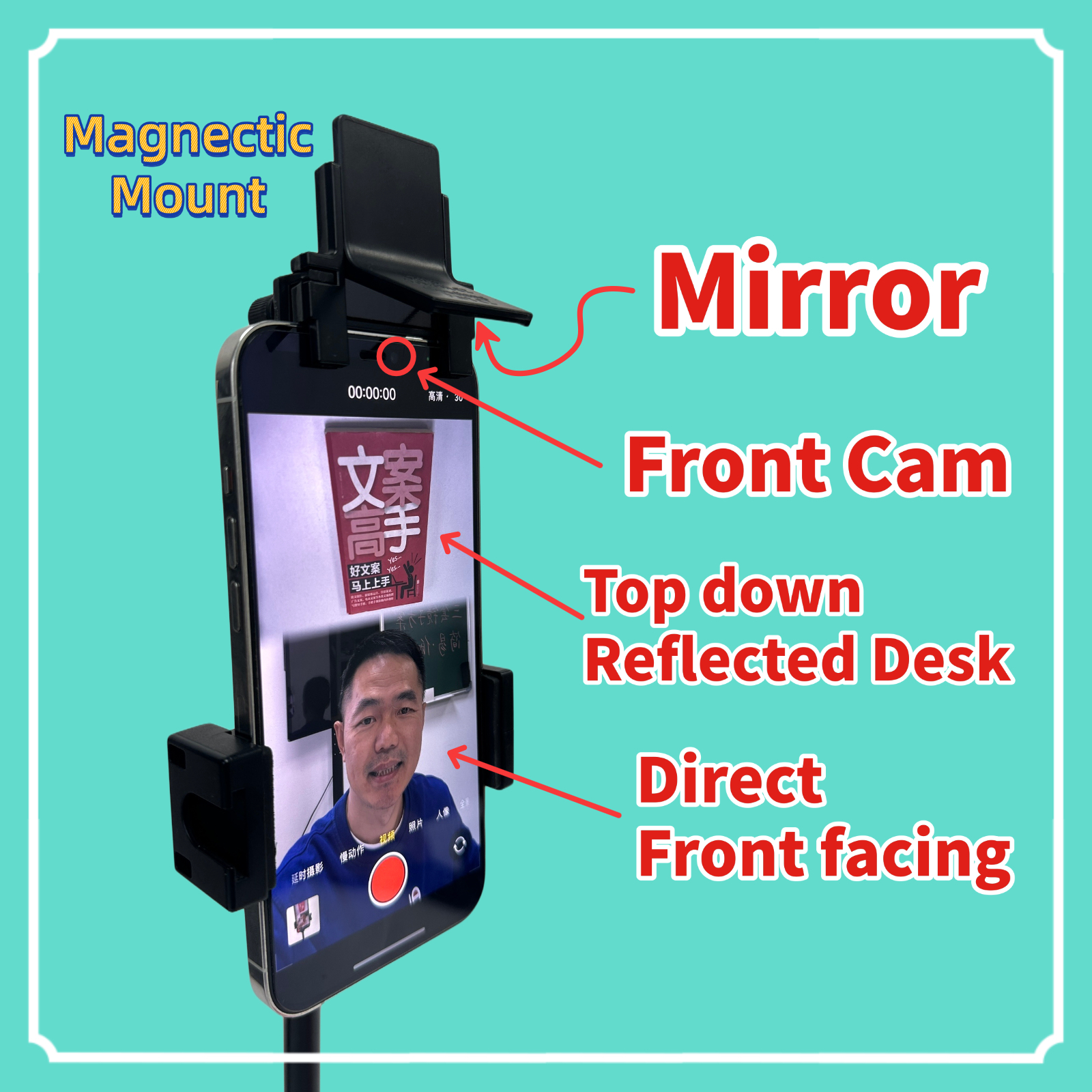
- A small magnetic mount clips onto the top of your phone and aligns parallel with the screen.
- The mirror module attaches magnetically and slides vertically to fine-tune the viewing angle.
- In top-down mode, the mirror redirects the front-camera view downward toward your desk.
- In split-screen mode, the top portion of the image shows your desk via reflection, while the bottom portion shows your direct front-facing view. The size of each portion can be adjusted by sliding the mirror.
Specifications
- Mirror Size: 3 × 3 cm optical-grade glass.
- Mirror Angles: Top-down mode ~56°, Split-screen mode ~63°.
- Mount Type: Magnetic attachment with vertical guide rails.
- Compatibility: Top-down mode works with most iPhones and Android phones. Split-screen mode requires phones without aggressive front-camera autofocus (e.g., iPhone 13 and earlier).
- Ideal Uses: Real-time desk demonstrations (writing, drawing, crafting, tablet operations) together with simultaneous face presentation for teaching, livestreaming, or AI video calls.
Important Notes
- Top-down mode requires zoom — To avoid capturing the phone itself, top-down shooting should be enlarged by at least 1.5× using an app such as ProMovie. Split-screen mode does not require zoom.
- Split-screen mode & autofocus — iPhones with front-camera autofocus (14 Pro series and 15/16 series) may lose focus on the reflected desk during livestreams because the camera prioritizes the face. iPhone 13 and earlier perform best. For recorded video, ProMovie can lock focus.
- Front-camera clarity — The front camera is less sharp than the rear camera. Newer iPhones provide significantly better front-camera quality than older models.
- Use a height-adjustable stand — The captured desk area depends entirely on stand height. Typical usable coverage ranges from A5 (low) to A4 (higher). Even at about 40 cm, the area is only slightly larger than A4 and will not reach A3.
- Desk coverage varies with height — Lower stand positions show a small, detailed A5 area; mid-height positions show A4; higher positions capture a slightly larger-than-A4 area but with reduced clarity for small text.
- Desk size considerations — A desk around 140 × 70 cm or larger works best. Smaller desks may cause part of your body to appear in the frame during top-down shooting.
- Screen angle depends on your phone stand — For best results, use a stand that allows fine control of tilt (usually within ±15°). Our bundled stand is recommended, but compatible stands at home may also be used.
Package Contents
- Magnetic phone-top mount
- Front Mirror Duo set (Top-down mirror + Split-screen mirror)
- Multiple rear-side clips for different phone camera layouts
- Optional height-adjustable phone stand (depending on package selected)
- Instruction card
A reference photo of the complete kit will be shown below.